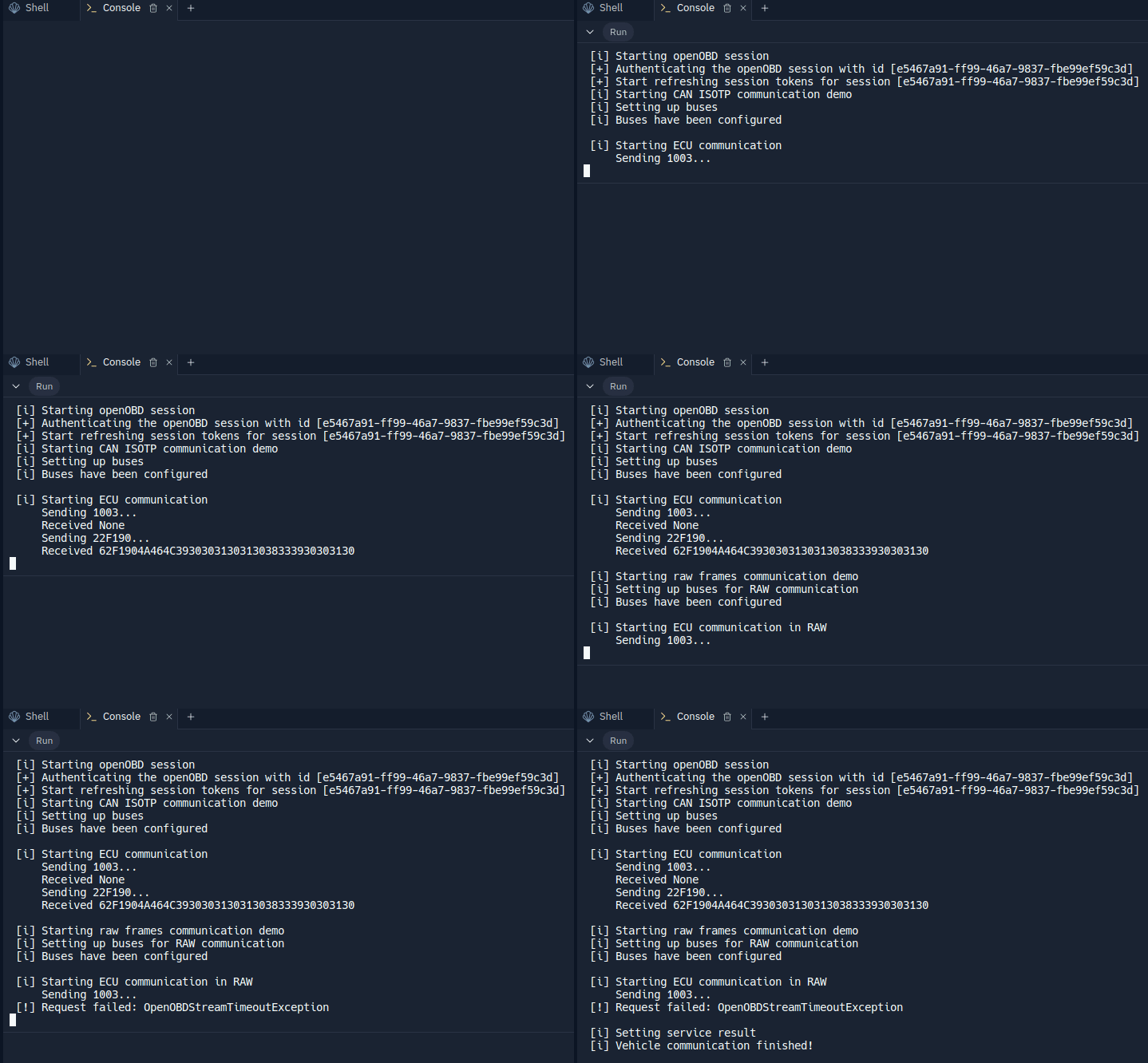
Run openOBD session
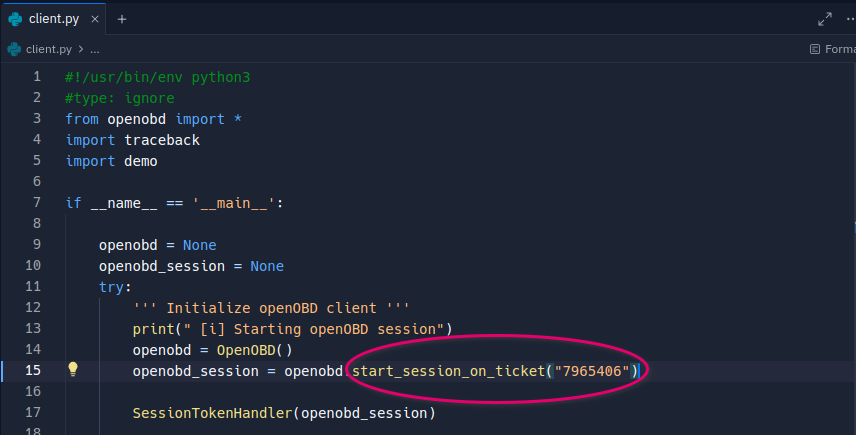
Adjust the ticket id in client.py
- Open the file
client.pylocated in theFilestab of the side panel in Replit
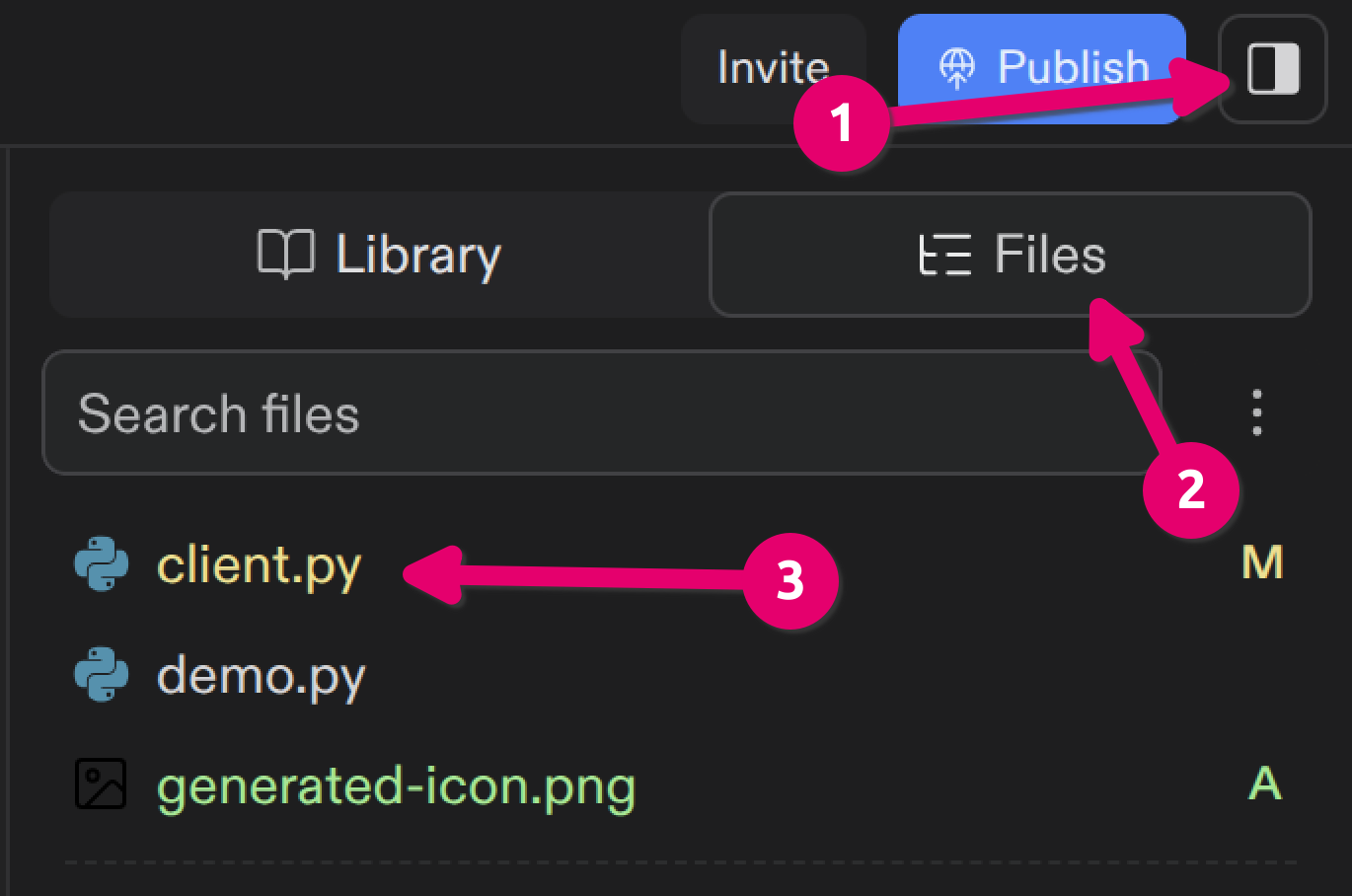
client.py and open it
- Adjust the ticket ID in
client.pyto match the ticket id of your created ticket
Run your openOBD script
-
Run your openOBD script by clicking the green run button

-
To view the output of your script, open a new tab in Replit and select
Console
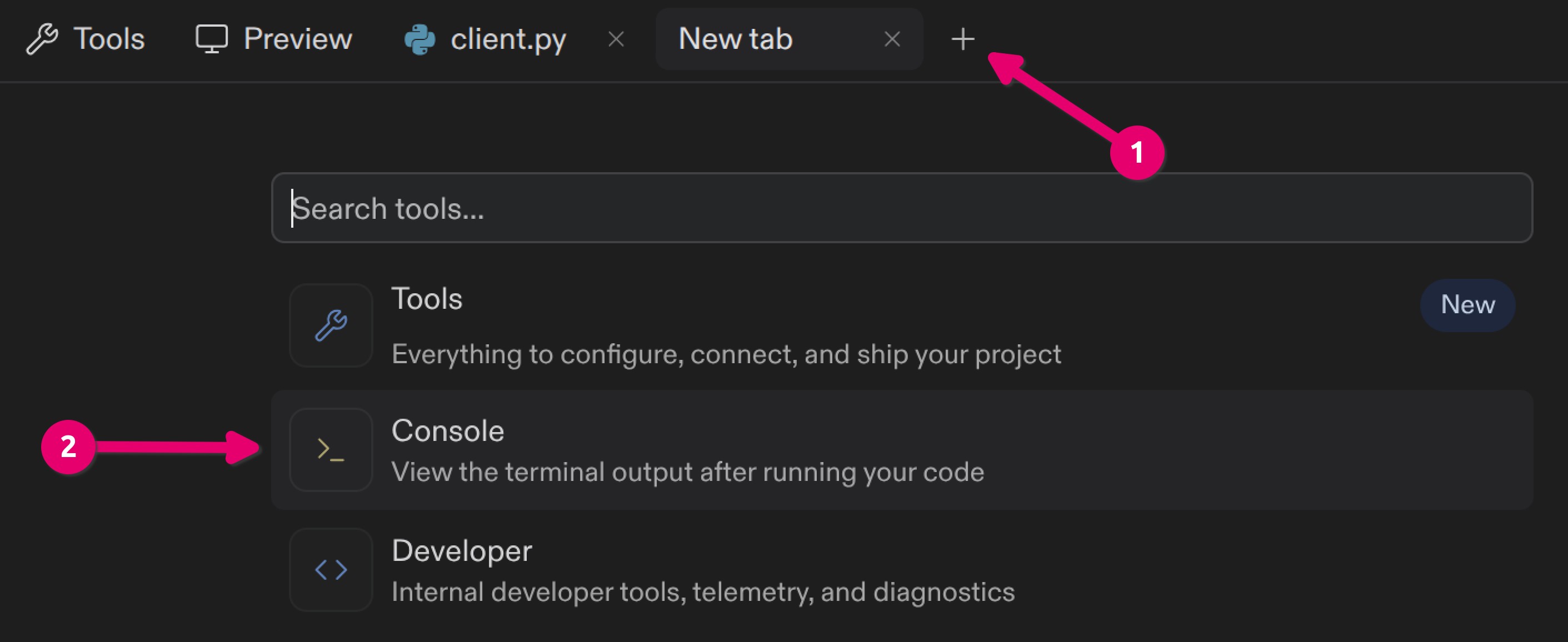
+ to open a new tab and open Console