Development environment
Since openOBD is using gRPC technology, your openOBD client software might be written in many different programming languages.
We will use Python for our examples since it is used very often in the public domain and a rather easy to learn scripting language. We have written ready-to-go packages for use in Python clients.
Python
To develop your client in Python there are several options when it comes to choosing an IDE (Integrated Development Environment). We present an off-line and an on-line option.
-
 PyCharm
The PyCharm IDE can be downloaded and run on your own computer. It is available for different platforms like macOS, Linux and Windows. You can download it here
-
 Replit.com
Replit.com is an on-line IDE platform where you can develop in loads of different languages, one of them is Python. It is an easy environment to demonstrate example code and can be used to share code examples.
Requirements
In order to program your openOBD client in Python there are some minimal requirements for your setup in order to work properly.
Minimal requirements
- The minimal Python version should be Python 3.11
- The Python package
openobdneeds to be installed in your environment (available through Python package managerpip) - The host (
grpc.openobd.comfor Europe) should be reachable over port 443 - The environment variables defined in openobd_credentials.env are loaded into the environment where your Python script runs
If you follow the Replit setup, you will automatically meet these requirements
PyCharm IDE
When you meet the requirements for the Python environment defined above, the most convenient way for developing might be to use the PyCharm environment. It should not be too much work to get everything running, but for sake of simplicity and clarity we will continue with our setup with Replit.com. Since it is an on-line and controlled environment, and we have a verified setup that can be used by anyone. See this page if you would like to set up Python locally.
Replit IDE
We choose to demonstrate the example setup in Replit.com. We have defined a template where the minimal requirements (defined above) are satisfied. This template can be forked by anyone who is interested.
Replit setup
 Perform the following steps to set up your own environment with Replit
Create a Replit.com account
Create a Replit account on Replit.com
Fork a clean copy of the openOBD demo template
- Open the openOBD demo template in Replit
- Click 'Use Template'
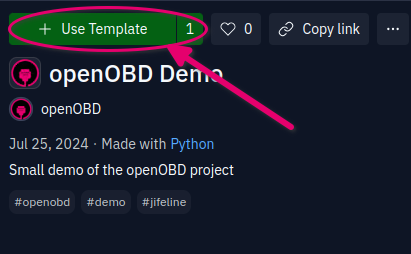
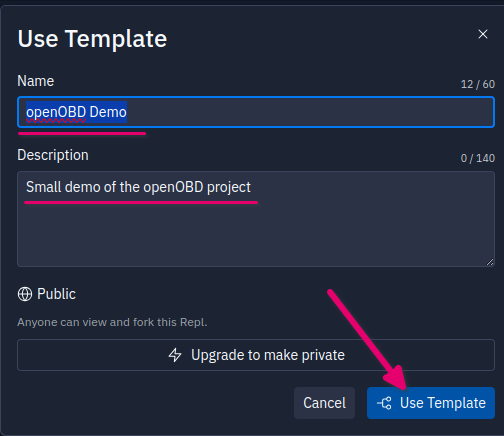
- Fill out the name and description you want to use for your example and click 'Use Template'
Configure your environment variables
- Load your environment variables. They need to be configured first.
- At the top of the screen you will find the
Toolstab.
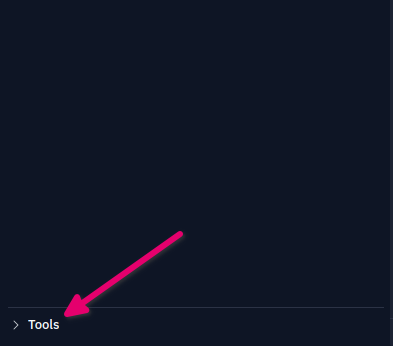
Tools tab at the top of the screen
- After opening the
Toolstab you will find theSecretspage under theSetupcategory.
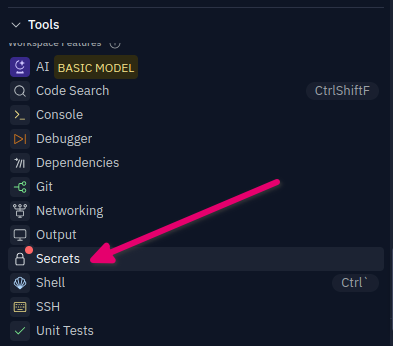
Secrets page
- Open the
Secretspage and fill in theOPENOBD_PARTNER_CLIENT_IDandOPENOBD_PARTNER_CLIENT_SECRETvalues with your API credentials. - The other values (for Europe) are:
OPENOBD_CLUSTER_ID=001andOPENOBD_GRPC_HOST=grpc.openobd.com
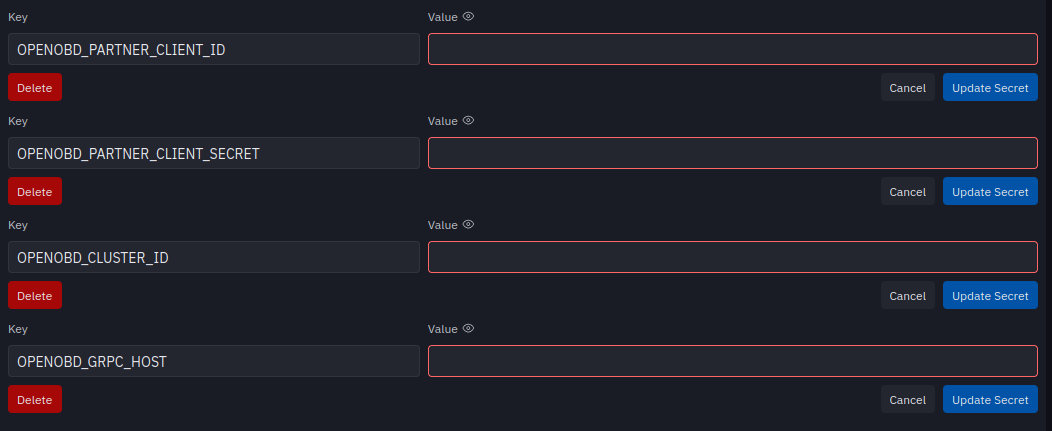
- Finally, your saved values should look like this.
